How Does a Robot Vacuum Know When to Charge?
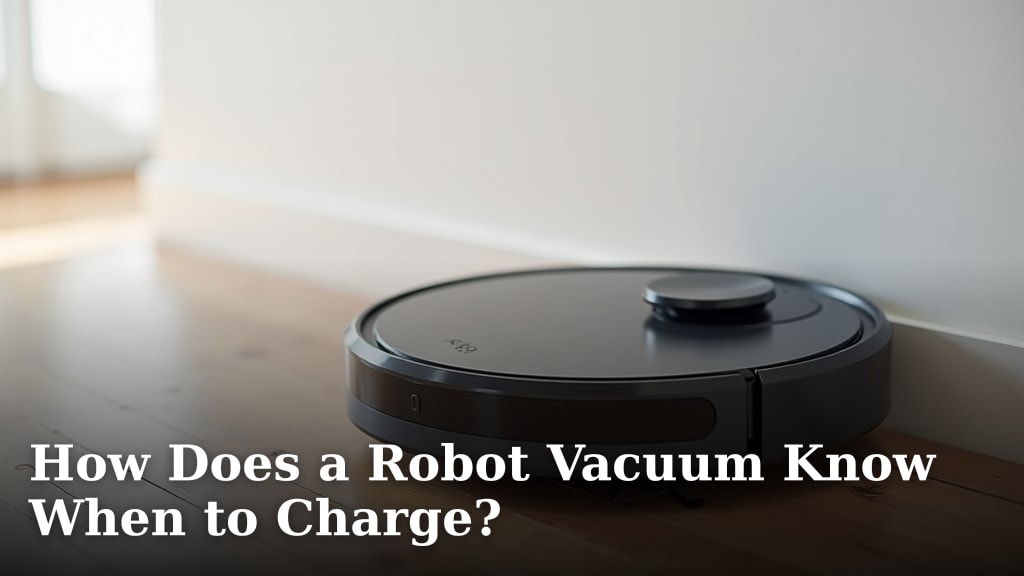
How Your Robot Vacuum Knows When It’s Time to Recharge
A robot vacuum uses battery sensors, built-in navigation, and a signal from its charging dock to figure out when it needs to go back and recharge. In short, it monitors its own power level and sends itself home before it runs out of juice.
The Role of Battery Sensors
At the heart of the whole system is a small but smart battery sensor. This sensor keeps track of the voltage and charge level in the vacuum’s lithium-ion battery. When the charge drops below a certain threshold, the vacuum knows it needs to head back to its dock. It’s kind of like your phone telling you it’s at 15% battery — except your vacuum takes care of itself.
Most robot vacuums use a lithium-ion battery pack. These batteries last a long time, but they do need regular charging. The sensor doesn’t just look at one number. It considers things like how much power the motors are drawing and how long the vacuum has been running (iFixit). This helps the vacuum make a smart decision about when to stop cleaning and start charging.
How Battery Monitoring Actually Works
The battery sensor checks the voltage in the battery cells many times each second. As the battery drains, the voltage drops steadily. The vacuum’s computer compares this reading to a preset minimum. When it hits that minimum, it triggers a “go home” command. Some vacuums also measure current draw — the amount of power the motors and sensors use. If the vacuum is on a thick carpet and working harder, it may decide to charge sooner than if it’s gliding on a hard floor.
Think of it like a gas gauge in your car. The needle doesn’t just point to “empty” — it also factors in how fast you’re burning fuel. Your robot vacuum does the same thing, but with much more precision. Many experts say this is one of the key features that makes robot vacuums reliable for daily use (Consumer Reports).
The Charging Dock and Its Signal
The charging dock isn’t just a place for the vacuum to sit. It sends out a signal that the vacuum can detect. This signal helps the vacuum find its way back home, even in a big or cluttered room. Without it, the vacuum would be wandering around looking for its dock like a lost puppy. The dock and vacuum work together as a team to make sure charging happens smoothly.
The dock usually sits against a wall, plugged into an outlet. It has two metal charging contacts on the front. When the vacuum parks itself on the dock, those contacts line up, and the charging begins automatically. No buttons, no plugs, no effort on your part.
Infrared and Bluetooth Communication
Most robot vacuums use infrared signals to find their dock. The dock emits an infrared beam, and the vacuum’s sensors pick it up. The vacuum then steers itself toward the beam. Some newer models also use Bluetooth or Wi-Fi to communicate with the dock. These signals help the vacuum map its path and avoid obstacles on the way back.
Infrared works best in a clear line of sight. If a chair or table is blocking the path, the vacuum may take a longer route around it. That’s why it’s a good idea to keep the area around the dock relatively clear. It’s a small thing, but it makes a big difference in how fast your vacuum can find its way home.
Navigation Systems and Low-Battery Behavior
Robot vacuums don’t just rely on battery sensors to know when to charge. They also use their navigation systems to plan a safe trip back to the dock. Navigation can involve laser sensors, cameras, or a combination of both. These tools help the vacuum understand where it is in the room and how to get back to the dock without bumping into things. The navigation system works alongside the battery sensor to make sure the vacuum doesn’t run out of power mid-way.
When the battery gets low, the vacuum doesn’t panic. Instead, it follows a calculated path back to the dock. The path depends on the vacuum’s map of your home and the location of the dock. If the vacuum has a LiDAR or camera-based system, it can return to the dock even if the room layout has changed. That’s a big improvement over older models that relied on random bumping.
What Happens When the Battery Gets Low
When your robot vacuum’s battery hits a low level — usually around 15% to 20% — it stops cleaning. It then begins its return to the charging dock. The vacuum will typically pause, retract its brushes, and start navigating toward the dock. Some vacuums even slow down as they get closer to the dock, so they can park themselves perfectly on the charging contacts.
If the vacuum can’t reach the dock, many models will shut down safely where they are. This prevents damage to the battery. Once you move the vacuum back to the dock or plug it in manually, it will resume charging. It’s a built-in safety feature that protects the battery from being drained too far, which can shorten its life over time (Battery University).
Path Planning and Return-to-Dock Logic
The return-to-dock process is a two-step plan. First, the vacuum figures out where it is. Then, it calculates the best route to the dock. This route is based on the vacuum’s internal map of your home. If you’ve moved furniture, the vacuum may need to update its map before it can get home.
Some vacuums use SLAM technology (Simultaneous Localization and Mapping). SLAM helps the vacuum create a map as it cleans. When it’s time to charge, the vacuum uses this map to find the shortest path to the dock. This is a big deal because a vacuum that takes a long, winding path may run out of power before it gets there. Many experts say that SLAM-based navigation is one of the most important features for reliable return-to-dock behavior (IEEE Robotics).
Common Myths About Robot Vacuum Charging
There are a few misconceptions about how robot vacuums charge. Let’s clear them up.
- Myth 1: Robot vacuums always charge when they’re low. Not true. Some models wait until they hit a specific threshold, which could be lower than you expect. Always check your model’s settings.
- Myth 2: You need to unplug the dock when not in use. Most modern docks are designed to be left plugged in. They use very little power and are safe to stay connected (Energy Star).
- Myth 3: Robot vacuums can charge from any power source. Most robot vacuums only charge from their designated dock. You can’t just plug them into a wall with a regular charger.
These myths can cause confusion, so it’s good to know the real facts. The vacuum and dock are designed to work together. If something seems off, check the manual or the app for your specific model.
Comparing Charging Features Across Robot Vacuum Brands
Not all robot vacuums charge the same way. Some have faster charging speeds, while others have smarter return-to-dock logic. Here’s a quick comparison of how different brands handle charging:
| Brand / Model Type | Battery Capacity | Charging Time | Return-to-Dock Signal |
|---|---|---|---|
| Budget Robot Vacuums | 1,500–2,000 mAh | 3–4 hours | Infrared only |
| Mid-Range Robot Vacuums | 2,600–3,200 mAh | 2–3 hours | Infrared + Wi-Fi |
| High-End Robot Vacuums | 4,000–5,200 mAh | 2–3 hours | Infrared + Bluetooth + Wi-Fi |
As you can see, the higher-end models tend to have bigger batteries and more
Conclusion
Your robot vacuum expertly handles charging through a team of smart sensors, dock signals, and precise navigation. It constantly monitors its battery level and plans a safe trip home when power gets low. This automated system lets you enjoy cleaner floors with less effort. To keep your vacuum working reliably, make sure its docking area stays clear of clutter. A quick check of your model’s app for settings can also help maintain top performance.
Frequently Asked Questions
How long does a robot vacuum battery typically last before needing a recharge?
Most robot vacuums run for 60 to 120 minutes on a full charge. The exact time depends on the battery size, cleaning mode, and floor type. Your vacuum will return to its dock automatically when the battery drops to a low level.
What happens if my robot vacuum can’t find its charging dock?
If the vacuum loses the dock signal, it will usually shut down safely in place. This protects the battery from damage. You can then manually move it back to the dock or clear obstacles from its path.
Do I need to turn off my robot vacuum’s dock when I’m not using it?
No, you can leave the dock plugged in. It uses very little standby power and is designed to be safe. Keeping it powered ensures your vacuum can always find its way home after cleaning.
Can a robot vacuum charge faster if I use a different power outlet?
No, the charging speed is determined by the dock and vacuum’s design. Using a different outlet won’t make it charge faster. Always use the original dock and power cord for safe and efficient charging.
Why does my robot vacuum sometimes return to the dock with battery still left?
This can happen if the navigation path is complex or if obstacles block the way. The vacuum prioritizes reaching the dock safely over cleaning the entire area. Ensure the route to the dock is as clear as possible.