Do Robot Vacuums Need a Wi-Fi Connection?
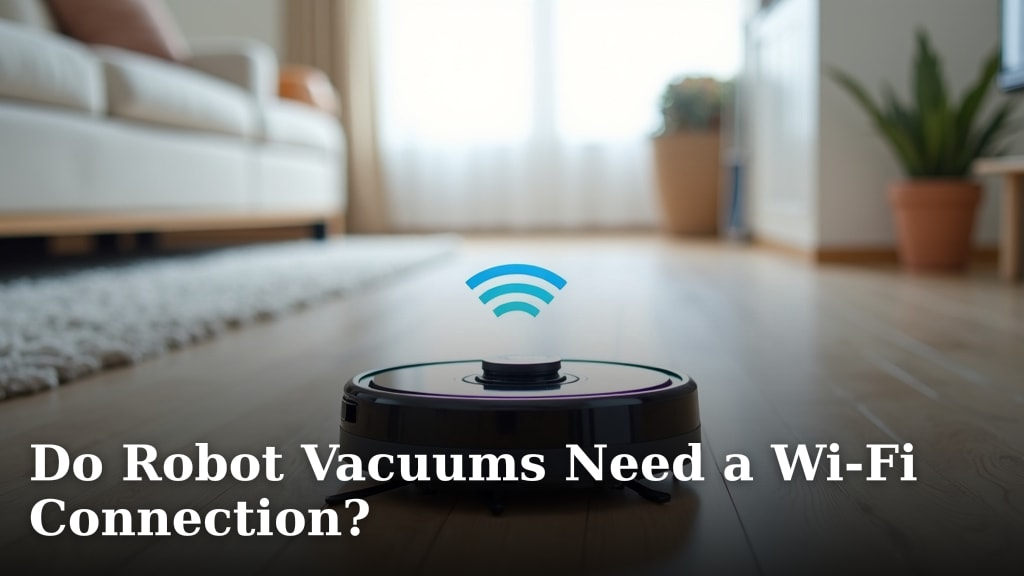
So, do robot vacuums need Wi-Fi? The short answer is: most don’t, but Wi-Fi unlocks their smartest features. If you just want your robot to clean your floors automatically, you can skip the Wi-Fi setup. It will still run on a schedule or with a simple button press. But for app control and advanced settings, a connection is key.
Think of Wi-Fi as the upgrade that makes your robot vacuum truly intelligent. It allows you to control it from anywhere, set specific cleaning zones, and receive maintenance alerts. Without it, your robot is a capable cleaner, but it’s essentially operating on autopilot with limited options.
- Robot vacuums can clean without Wi-Fi.
- Wi-Fi adds smart features like app control.
- You can schedule cleanings without a connection.
- Wi-Fi enables advanced functions like zone cleaning.
Let’s break down exactly how Wi-Fi impacts your robot vacuum experience, and what you can expect with or without it.
You’ve got your new robot vacuum. It looks sleek and promising. But then you see the Wi-Fi setup. Does it really need it? We’re here to break it down for you.
Does Your Robot Vacuum Really Need to Be Online?
The simple answer is: no, most robot vacuums do not require a Wi-Fi connection to clean. They can still do their job without being hooked up to your home network. You can usually start them with a simple button press. Or, set a basic schedule directly on the vacuum itself. Think of it like an old-school appliance. It performs its main function reliably, even if it’s not the smartest kid on the block.
Basic Cleaning Without Wi-Fi
If you’re looking for your robot vacuum to simply patrol your floors and collect dust and debris, you can absolutely skip the Wi-Fi setup. Many models have physical buttons for ‘clean’ or ‘dock’. You can press these to start or stop a cleaning cycle. Some also offer basic scheduling capabilities directly on the unit. This means you can set it to run at a certain time each day. It’s a straightforward approach that gets the job done. You won’t be missing out on the core function: cleaning your floors.
What You Miss Out On Without a Connection
While basic cleaning is covered, connecting your robot vacuum to Wi-Fi opens up a world of convenience and advanced control. This is where the “smart” in smart home really comes into play. Without Wi-Fi, you’re essentially using your robot as a standalone cleaning device. You can’t interact with it remotely. You also can’t access the more sophisticated features that many models offer. This is often the biggest difference for users.
The Power of Wi-Fi Connectivity for Your Robot Vacuum
When you connect your robot vacuum to your home Wi-Fi network, you’re giving it a direct line to your smartphone or tablet. This connection is what enables all the “smart” features that make these devices so appealing. It’s like giving your robot a brain that you can communicate with from anywhere.
App Control: Your Remote Command Center
The primary benefit of Wi-Fi is the ability to control your robot vacuum through a dedicated mobile app. Once connected, you can usually:
- Start, stop, or pause cleaning cycles from another room or even when you’re out of the house. Imagine starting the vacuum before you get home.
- Send the robot back to its charging dock with a tap on your screen. No more hunting for it.
- Check the cleaning status and see where the robot has cleaned. Some apps show a map of your home.
This app control is incredibly convenient. It means you’re not tied to being home to start a cleaning. It’s a huge step up from manual operation. Many people find this feature alone is worth the setup.
Scheduling: More Than Just “Every Day”
While some robot vacuums offer basic scheduling without Wi-Fi, the app-based scheduling is far more flexible. You can typically:
- Set cleaning schedules for specific days and times. For instance, clean the kitchen every weekday at 2 PM.
- Create different schedules for different rooms. Maybe the living room needs cleaning daily, but the bedroom only needs it twice a week.
- Schedule based on your routine. Set it to clean while you’re at work or when the kids are at school.
This level of customization ensures your floors are cleaned exactly when and where you need them to be. It’s about efficiency and tailored cleaning.
Mapping and Navigation: The Intelligent Touches
This is where Wi-Fi truly shines. Many modern robot vacuums use Wi-Fi to download maps of your home and enhance their navigation. With a connected app, you can often:
- View a real-time map of your home as the robot cleans. You can see its progress and efficiency.
- Create “no-go” zones. These are areas where you don’t want the robot to venture, like around pet bowls or delicate furniture.
- Set up “virtual walls” to block off specific sections of a room. This is useful if you’re doing a partial clean.
- Designate specific rooms or zones for cleaning. Want just the hallway cleaned today? No problem.
This advanced mapping is powered by the robot’s sensors and its ability to communicate these details to the app via your Wi-Fi. It transforms the robot from a bump-and-go device into a strategic cleaner. Research has shown that Lidar and vSLAM technologies, which rely on mapping, significantly improve cleaning efficiency and coverage (IEEE Spectrum).
Maintenance Alerts and Updates
Your robot vacuum is a machine, and like any machine, it needs a little upkeep. Wi-Fi connectivity often provides you with important notifications:
- Low dustbin alerts: Get a notification when the bin is full and needs emptying.
- Brush or filter replacement reminders: The app can track usage and tell you when it’s time for new parts.
- Firmware updates: Manufacturers often release software updates over Wi-Fi to improve performance or add new features.
These alerts are helpful for keeping your robot running smoothly and maintaining its cleaning power. It’s like having a little digital assistant looking after your cleaner.
What Kind of Wi-Fi Does Your Robot Need?
Most robot vacuums are designed to connect to standard home Wi-Fi networks. You generally won’t need a super-fast or specialized connection. Here are a few points to consider:
Network Compatibility
Most robot vacuums connect to 2.4GHz Wi-Fi networks. This is the older, more common band. Some newer, more advanced models might also support 5GHz networks for faster data transfer, but 2.4GHz is usually sufficient for most robot vacuum functions. Your router likely broadcasts both bands. You’ll select the 2.4GHz option during setup. Ensure your network is password-protected for security.
Signal Strength and Range
The robot vacuum needs a reasonably strong Wi-Fi signal in the areas where it operates. If your Wi-Fi is weak in certain parts of your home, you might experience connection issues. This can lead to the robot losing its connection or being unable to communicate with the app. You might need a Wi-Fi extender or a mesh network if you have a large home or dead spots. A strong signal is key for consistent performance.
Troubleshooting Connection Issues
If you’re having trouble connecting your robot vacuum to Wi-Fi, don’t despair. Here are some common steps:
- Check your Wi-Fi password: Ensure you’re entering it correctly. Passwords are case-sensitive.
- Restart your router and the robot vacuum: Sometimes a simple reboot can resolve temporary glitches.
- Ensure you’re on the 2.4GHz band: Most robots don’t work on 5GHz networks.
- Move the charging dock closer to the router: If signal strength is the issue, try repositioning.
- Consult your robot’s manual: Specific models might have unique setup requirements or troubleshooting tips.
Many issues can be resolved with these basic steps. If problems persist, manufacturer support is often available.
Offline vs. Online: A Quick Comparison
To help you decide, let’s look at what you get with each option:
| Feature | Offline (No Wi-Fi) | Online (With Wi-Fi) |
|---|---|---|
| Basic Cleaning | Yes | Yes |
| Manual Start/Stop | Yes (physical button) | Yes (physical button & app) |
| Basic Scheduling | Yes (on unit, limited) | Yes (app, advanced flexibility) |
| App Control | No | Yes |
| Remote Start/Stop | No | Yes |
| Home Mapping | No | Yes |
| Zone Cleaning / No-Go Zones | No | Yes |
| Maintenance Alerts | No | Yes |
| Firmware Updates | No | Yes |
Is Wi-Fi Worth It for Your Robot Vacuum?
Ultimately, whether you need Wi-Fi depends on how you plan to use your robot vacuum. If you just want a hands-off cleaning assistant that runs on a schedule, you might be perfectly happy without it. However, if you crave the convenience of app control, advanced mapping features, and the ability to manage your vacuum remotely, then connecting to Wi-Fi is a game-changer.
We found that most users who invest in smart robot vacuums eventually connect them to Wi-Fi to take advantage of the full suite of features. It transforms the device from a simple automated cleaner into a truly intelligent part of your smart home. It offers personalized cleaning and greater control over your home environment. For many shoppers, the added convenience and functionality justify the setup process.
Your Robot Vacuum Setup Checklist
Before you decide, consider these points:
- Do you want to control your vacuum from your phone?
- Do you need to set specific cleaning zones or avoid certain areas?
- Is remote start/stop a priority for you?
- Are you comfortable with basic tech setup for your home devices?
- Do you have a stable Wi-Fi connection where the vacuum will operate?
- Are you looking for advanced features like detailed cleaning maps?
Conclusion
So, do robot vacuums truly need Wi-Fi? We found that while your robot can clean floors without an internet connection, Wi-Fi is what brings its smartest capabilities to life. Think of it as the difference between a basic tool and a smart assistant. If you’re happy with simple button presses and basic scheduling, you’re good to go offline. But if you want to control your vacuum from afar, set precise cleaning zones, or get helpful maintenance alerts, connecting to your Wi-Fi is the way to go. Your next step is to consider your personal cleaning needs and decide which level of smarts feels right for your home.
Frequently Asked Questions
Can I use my robot vacuum if my Wi-Fi is down?
Yes, you can. Most robot vacuums will still perform their basic cleaning functions even if your Wi-Fi is temporarily unavailable. You can typically start, stop, or send them back to their dock using the physical buttons on the unit itself.
Will my robot vacuum connect to a 5GHz Wi-Fi network?
Most robot vacuums are designed to work with 2.4GHz Wi-Fi networks, which are more common. Some newer models might support 5GHz, but it’s best to check your robot’s specifications. You might need to ensure your router is broadcasting a 2.4GHz band for setup.
Do I need a strong Wi-Fi signal for my robot vacuum to work?
A reasonably strong Wi-Fi signal is important for the best experience. If your signal is weak in the areas where your robot cleans, you might encounter connection issues. This can prevent you from using app features or receiving updates.
How do I improve my robot vacuum’s Wi-Fi connection if it’s spotty?
If you have weak Wi-Fi, you can try moving your router closer to the robot’s charging dock or using a Wi-Fi extender. Ensuring your robot vacuum firmware is up-to-date can also sometimes help with connection stability.
What happens to my robot vacuum’s map data if I disconnect from Wi-Fi?
If your robot vacuum creates maps, this data is usually stored on the device itself or within the app. If you disconnect from Wi-Fi, you typically won’t be able to access or update these maps through the app. Basic cleaning functions should still work, but advanced mapping features will be unavailable.