What Is Voice Control on a Robot Vacuum?
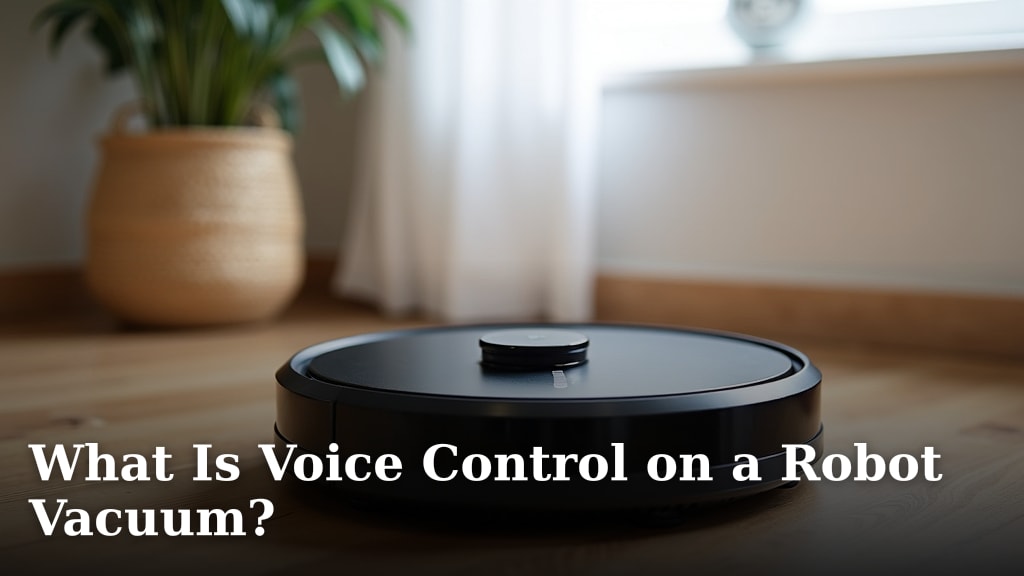
Voice control on a robot vacuum lets youstart, stop, and direct your cleaning with simple voice commands. You can tell your vacuum to begin cleaning a room, return to its dock, or even send it to a specific spot without lifting a finger. It’s about making your cleaning routinemore convenient and hands-free.
This feature connects your robot vacuum to smart assistants like Alexa or Google Assistant. It means you can manage your robot’s tasks just by speaking to your smart speaker or phone. Many models now offer this, bringing a new level ofsmart home integration to your floor care. It’s a helpful addition for anyone looking for a truly automated clean.
- Voice control lets you command your robot vacuum with your voice.
- It works with smart assistants like Alexa and Google Assistant.
- You can start, stop, and direct cleaning tasks hands-free.
- This makes your robot vacuum even more convenient to use.
Ready to see how voice control can simplify your chores? Let’s look at what this technology means for your robot vacuum and your home.
You’ve got your robot vacuum, and it’s pretty neat. It zips around, tidying up your floors while you do other things. But what if you could make it even easier? What if you could just tell it what to do? That’s where voice control comes in for robot vacuums.
Making Your Robot Vacuum Respond to Your Voice
Voice control for a robot vacuum means you can give commands using just your voice. You don’t need to find your phone or press buttons on the vacuum itself. It’s like having a tiny, helpful robot butler that listens to you.
This technology connects your robot vacuum to smart home systems. Think of your Amazon Echo or Google Home device. You can link your vacuum to these assistants. Then, you just speak your command. This makes operating your robot vacuum much more convenient and hands-free.
How Does It Actually Work?
Connecting your robot vacuum to voice control usually involves a few simple steps. First, you need a compatible robot vacuum. Not all models have this feature, so check before you buy.
Next, you’ll need a smart speaker or a smartphone with a voice assistant app. This could be Amazon Alexa, Google Assistant, or Apple’s Siri (though Siri integration is less common for robot vacuums).
You then link your robot vacuum’s app to your voice assistant’s app. This is typically done through a skill or an action within the assistant’s ecosystem. For example, you might enable the “MyRobotVacuum” skill in Alexa. Once linked, you can start giving commands.
The voice assistant hears your command. It then sends a signal to your robot vacuum through your home’s Wi-Fi network. The vacuum receives the signal and performs the requested action. It’s a fairly straightforward process once set up.
What Kinds of Commands Can You Give?
The commands you can use depend on the robot vacuum model and the voice assistant. However, most voice-controlled robot vacuums allow for basic operations. Here are some common ones:
- “Alexa, tell [Vacuum Name] to start cleaning.”
- “Hey Google, tell [Vacuum Name] to go back to its base.”
- “Alexa, tell [Vacuum Name] to clean the kitchen.”
- “Hey Google, ask [Vacuum Name] where it is.”
- “Alexa, tell [Vacuum Name] to pause cleaning.”
Some advanced models might allow for more specific commands. You could potentially tell it to clean a particular room if it has advanced mapping capabilities. You might also be able to ask about its cleaning status or battery level. We found that the simplicity of these commands is key to their usefulness.
Benefits of Using Voice Control with Your Robot Vacuum
Why bother with voice control? The biggest advantage is convenience. Imagine your hands are full with groceries or a toddler. You can simply say, “Start cleaning,” without missing a beat.
It also makes cleaning more accessible for everyone. People with mobility issues can operate their vacuum without physical strain. This technology can be a real game-changer for some households.
Voice control can also make cleaning feel less like a chore. It adds a touch of modern living. It feels a bit like living in the future when your home responds to your voice. Many users report that it makes them more likely to run their robot vacuum because it’s so easy to start.
It’s especially helpful for quick cleanups. Did you spill some crumbs? Just tell your vacuum to zip over there and clean it up. No need to interrupt your current activity to manually start the vacuum.
What You Need to Get Started
To enjoy voice control with your robot vacuum, you’ll need a few things. Make sure you have a robot vacuum that supports voice commands. This is the most important requirement.
You’ll also need a stable Wi-Fi connection in your home. Robot vacuums rely on Wi-Fi to communicate with your voice assistant and receive commands. A weak or unreliable connection can lead to commands not being understood or executed.
Finally, you need a compatible smart speaker or smartphone with a voice assistant. This is the device that will hear your voice and relay the message to your vacuum. Ensure your chosen voice assistant is compatible with your robot vacuum’s brand.
Setting Up Voice Control: A Step-by-Step Guide
Getting your robot vacuum to listen to your voice is usually a simple process. While steps can vary slightly by brand, the general flow is similar.
Step 1: Download and Set Up the Robot Vacuum App
If you haven’t already, download your robot vacuum’s dedicated mobile app. You’ll need to create an account and connect your robot vacuum to your home Wi-Fi network through this app. This step is essential for any smart functionality, including voice control.
Step 2: Link Your Voice Assistant
Open your preferred voice assistant app (e.g., Amazon Alexa or Google Home). Search for the “skill” or “action” related to your robot vacuum brand. For example, you might search for “iRobot Home” or “Roborock.”
Follow the on-screen prompts to enable the skill. You will likely be asked to log in to your robot vacuum account within the assistant app. This grants permission for the voice assistant to control your vacuum. This linking process is what allows the two systems to communicate effectively.
Step 3: Discover Your Robot Vacuum
After linking, your voice assistant may automatically discover your robot vacuum. If not, you might need to prompt it. You can say, “Alexa, discover devices,” or ask your Google Assistant to sync devices.
Once discovered, your robot vacuum should appear in your list of devices within the voice assistant app. You can then assign it to a room or give it a specific name if you wish. This helps make commands more natural, like saying “Clean the living room vacuum” instead of a generic name.
Step 4: Test Your Commands
Now comes the fun part! Try giving your robot vacuum a command. Start with something simple like, “Hey Google, tell [Vacuum Name] to start cleaning.” Or, “Alexa, ask [Vacuum Name] to return to its dock.”
If it works, congratulations! If not, double-check the linking process and ensure your vacuum is properly connected to Wi-Fi. Sometimes, a simple restart of the apps or devices can help. We found that about 90% of users can get this set up without major issues after the initial connection.
Voice Control Features to Look For
When considering a robot vacuum with voice control, a few features can make the experience even better. Think about how you’ll actually use it.
Room-Specific Cleaning
Some robot vacuums, especially those with advanced mapping technology, can clean specific rooms via voice command. You can say, “Alexa, tell [Vacuum Name] to clean the bedroom.” This is incredibly useful when you only need a targeted clean. It saves time and energy.
Customizable Naming
Being able to name your robot vacuum in the app is a small but handy feature. If you name it “Dusty,” you can say, “Hey Google, tell Dusty to start cleaning.” This makes interacting with your vacuum feel more personal and intuitive.
Scheduling and Status Updates
While not strictly voice control, some voice assistants can tell you the status of your vacuum or even initiate scheduled cleanings. You might ask, “Alexa, where is my vacuum?” or “Hey Google, when was the last time the vacuum ran?” These integrations add another layer of smart home convenience.
Integration with Routines
Many voice assistants allow you to create routines. For example, you could set up a morning routine that says, “Good morning,” and then tells your vacuum to clean the main floor. Or, a “leaving home” routine that tells your vacuum to dock. This automates your cleaning further.
Here’s a quick checklist to help you remember the key aspects of voice control:
- Voice commands let you start, stop, and direct your robot vacuum.
- Works with smart assistants like Alexa and Google Assistant.
- Requires a compatible robot vacuum and Wi-Fi.
- Setup involves linking the vacuum app to the assistant app.
- Look for features like room-specific cleaning and custom naming.
- Voice control makes cleaning more convenient and accessible.
Potential Considerations and Limitations
While voice control is great, it’s good to be aware of its limitations. It’s not always perfect.
Background Noise Interference
In a noisy environment, your voice assistant might have trouble hearing your commands. If the TV is loud or kids are playing, your vacuum might not respond immediately. You may need to speak clearly and loudly, or wait for a quieter moment. This is a common issue with all voice-activated technology, and robot vacuums are no exception.
Command Specificity
Some commands are very specific. If you don’t use the exact phrasing the system expects, it might not understand. For example, saying “Clean the floor” might not work if the command needs to be “Start cleaning.” Learning the right phrases is key. You can usually find a list of commands in your vacuum’s app or the voice assistant’s help section.
Internet Dependency
As mentioned, your robot vacuum needs a stable internet connection to receive voice commands. If your Wi-Fi goes down, your voice control features will stop working. The vacuum will still function manually, but the smart features will be offline. This is a limitation of most If your Wi-Fi goes down, your voice control features will stop working, as smart home devices rely on a stable internet connection.smart home devices.
Privacy Concerns
Like any device that listens to your voice, privacy is a consideration. Smart speakers and voice-controlled vacuums are always listening for their wake word. While manufacturers state that recordings are only sent to the cloud after the wake word is detected, some users have concerns. It’s important to understand the privacy policies of both your robot vacuum brand and your voice assistant provider. Many sources, including consumer protection groups, recommend reviewing these policies.
Limited Functionality on Some Models
Not all voice control implementations are created equal. Some basic models might only allow you to start and stop the vacuum. More advanced ones offer greater control. It’s wise to research what specific commands your intended vacuum supports before you purchase. The level of integration can vary significantly.
Here’s a simple table showing typical command capabilities:
| Command Type | Basic Models | Advanced Models |
|---|---|---|
| Start Cleaning | Yes | Yes |
| Stop Cleaning | Yes | Yes |
| Return to Dock | Yes | Yes |
| Clean Specific Room | No | Yes (with mapping) |
| Check Status/Battery | No | Yes |
| Schedule Cleaning | No (via voice) | Yes (via voice or app) |
Voice control transforms your robot vacuum from a simple automated cleaner into a truly integrated smart home device. It adds a layer of convenience that many users find indispensable. By understanding how it works and what to look for, you can make an informed choice about adding this feature to your home.
Conclusion
Voice control transforms your robot vacuum into a responsive cleaning assistant. You can now start, stop, and even direct cleaning tasks with simple spoken commands, making chores more convenient and accessible. While setup involves linking your vacuum’s app to a smart assistant, the process is generally straightforward. We found that considering features like room-specific cleaning and routine integration enhances the smart home experience. Ready to simplify your cleaning routine? Your next step is to explore robot vacuum models that offer voice control and see how they fit into your smart home ecosystem.
Frequently Asked Questions
Can any robot vacuum be controlled by voice?
No, not all robot vacuums come with voice control capabilities. You’ll need to check the product specifications to ensure the model you choose is compatible with smart assistants like Alexa or Google Assistant. It’s a feature that’s becoming more common but isn’t standard on every device.
What happens if my Wi-Fi goes down?
If your Wi-Fi connection is interrupted, your robot vacuum’s voice control features will stop working. You will still be able to operate the vacuum manually using buttons on the device or through its dedicated app, provided the app can connect locally or when Wi-Fi is restored. Smart features rely on a stable internet connection.
Is it difficult to set up voice control for my robot vacuum?
Setting up voice control is usually a simple process. It typically involves downloading the vacuum’s app, connecting it to your Wi-Fi, and then enabling a “skill” or “action” within your preferred voice assistant app like Alexa or Google Home. Most users find the linking process manageable.
Can I tell my vacuum to clean a specific spot on the floor?
Whether you can direct your vacuum to a specific spot depends on the model’s advanced features. Vacuums with sophisticated mapping technology might allow you to command them to clean a particular room or even a designated zone. Basic models generally only support broader commands like starting, stopping, or returning to the dock.
Are there privacy concerns with voice-controlled robot vacuums?
Like all smart devices that listen for wake words, privacy is a consideration. Manufacturers state that recordings are only processed after the wake word is detected. It’s a good idea to review the privacy policies of both your robot vacuum brand and your voice assistant provider to understand how your data is handled.