Can a Robot Vacuum Work Without Wi-Fi? What Really Happens

How Your Robot Vacuum Behaves Without an Internet Connection
Yes, a robot vacuum can absolutely work without Wi-Fi. Think of it like a regular vacuum cleaner with a brain. It can still clean your floors on a basic schedule you set. It just won’t have access to all the smart, app-controlled tricks. The core cleaning functions remain intact, but some advanced features go dark.
What Your Robot Vacuum Can Still Do Offline
Even without a connection to your home network, your robot vacuum is not useless. It retains its fundamental cleaning abilities. You can still set it to clean on a daily or weekly schedule using its physical buttons or a pre-set timer. The robot will navigate your rooms and pick up dirt, dust, and debris.
It will still use its basic sensors to avoid bumping into most furniture. The vacuum can still return to its charging dock to recharge itself. In essence, it operates like a standalone appliance. It’s a bit like a coffee maker that still brews coffee without Wi-Fi, even if you can’t start it from your phone.
Core Functions That Don’t Need a Signal
- Manual start and stop: You can press a button on the robot to begin cleaning immediately.
- Basic suction and brushing: The motors and brushes work regardless of your internet status.
- Battery charging and docking: It finds its dock and recharges as needed.
- Avoidance of large obstacles: Basic infrared or cliff sensors help it avoid stairs and big objects.
According to manufacturer guidelines from brands like iRobot and Ecovacs, these functions are independent of network connectivity. They are built directly into the robot’s onboard computer.
Basic Cleaning Schedules Without an App
Many robot vacuums let you set a schedule using buttons on the unit itself. You might press a “Schedule” button and set the time for 9:00 AM each day. The vacuum will then start cleaning at that time every day until you change it. This is a simple, reliable way to keep your floors tidy without touching a smartphone.
This method is perfectly fine for a single, open living space. However, it becomes less precise for complex floor plans or multi-room homes.
What Happens to the Smart Features?
The real difference appears in the features that rely on data transfer. These are the capabilities that make modern robot vacuums feel “smart.” Without Wi-Fi, they simply cannot function.
Mapping and No-Go Zones Go Dark
The robot’s ability to create a detailed map of your home usually requires an app. The map data is often stored in the cloud and visualized on your phone. Without Wi-Fi, the robot may clean more randomly, like an older model. It can’t learn your home’s layout over time or remember where the living room ends and the kitchen begins.
You lose the ability to set up “no-go zones” or “virtual barriers” to keep it away from pet bowls or a specific rug. The robot doesn’t receive those instructions.
App Control and Customization Vanish
The companion app is your command center for most smart features. Without it, you can’t adjust suction power for different rooms. You can’t tell it to spot-clean a specific area by tapping on a map. You can’t receive notifications when it’s done cleaning or if it gets stuck.
A study on smart home adoption by Statista found that app control is a top reason people buy connected devices. Without the app, you’re left with a much more basic experience.
Remote Control and Voice Commands Are Off
Want to start the vacuum while you’re at work or tell it to clean using your voice? That requires a live connection to the internet. Wi-Fi enables the robot to communicate with services like Amazon Alexa or Google Assistant. Without it, these conveniences are unavailable.
You also can’t check its status, see its battery life, or review its cleaning history from your phone when you’re away from home.
Setting Up a Robot Vacuum Without Wi-Fi
The process is simpler because there’s no network setup step. You don’t need to enter a Wi-Fi password or go through a lengthy pairing process with an app.
The Physical Setup Process
You take the robot out of the box, place it on the charging dock, and let it charge fully. Then, you press the power or start button. Some models may require you to set the current time using small buttons on the unit so its schedule works correctly. That’s essentially it.
You don’t need to download an app, create an account, or connect to any router. It’s as plug-and-play as a traditional vacuum, just with a charging base instead of a cord.
Manual Control Methods
If the robot has a remote control included in the box, you can use that. The remote uses a simple radio frequency, not Wi-Fi, to send commands. You can steer the vacuum around, change its mode, or send it home to charge. This is a straightforward, offline way to control it.
Some robots also have a “manual mode” where you use the top buttons to steer it around the room yourself.
Limitations You’ll Encounter Off the Grid
Life without Wi-Fi for your robot vacuum is manageable, but it has clear trade-offs. The main issues revolve around less precision and convenience.
Cleaning Pattern Might Be Less Efficient
Without a map, the robot often uses a more random or zigzag pattern. This can mean it misses some spots or cleans the same area multiple times. It’s less like an efficient office cleaner with a plan and more like someone wandering around until the floor looks mostly clean.
Research on robotic navigation suggests that mapping algorithms significantly reduce cleaning time and improve coverage. Those algorithms rely on the data an app can process.
No Automatic Updates or Support
Robot vacuums often get software updates that fix bugs, improve battery life, or add new features. These updates are delivered over Wi-Fi. Without a connection, your robot will run the same software forever, which may become outdated. You also can’t easily access customer support tools or diagnostic tests through an app.
Troubleshooting Can Be Harder
If your vacuum gets stuck or behaves strangely, an app often provides error codes or guides. Without it, you have to rely on the physical manual or call customer support. Simple issues like a clogged brush might require more guesswork to identify.
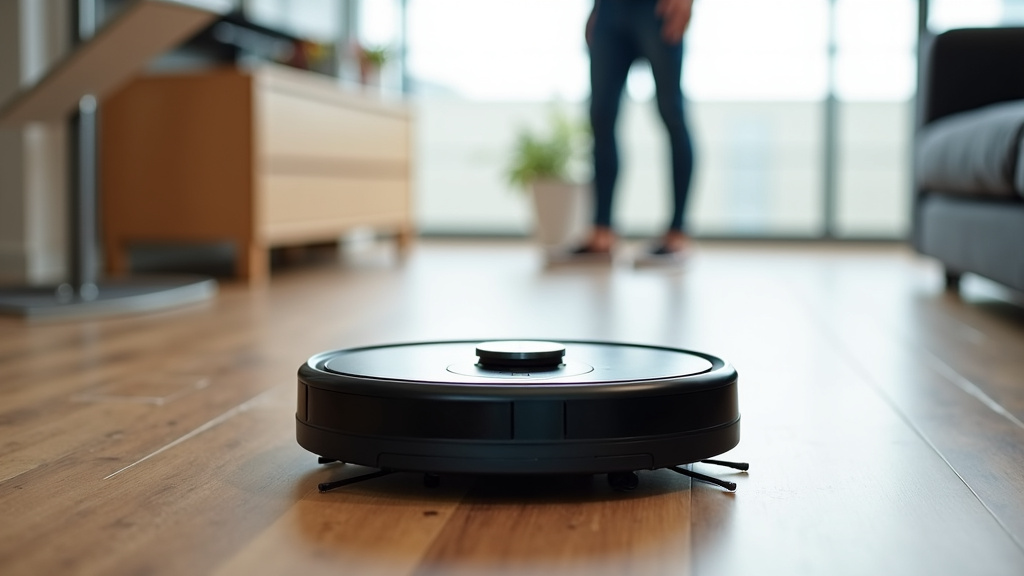
When to Use Wi-Fi for Your Robot Vacuum
Wi-Fi isn’t essential, but it unlocks a much better experience for certain situations. If your home has a complex layout or you want the easiest possible control, it’s worth connecting.
Smart Home Integration
If you use voice assistants like Alexa or Google Home, Wi-Fi is required. You can’t integrate your vacuum into your smart home routines without it. For example, you can’t have it start cleaning when you leave the house unless it’s connected.
Advanced Features and Custom Cleaning
Features like room-specific cleaning, scheduling different times for different rooms, or setting up multi-floor maps all need an app. These advanced options are only possible with a connection. A table can help show the difference clearly.
| Feature | With Wi-Fi and App | Without Wi-Fi (Offline) |
|---|---|---|
| Basic Cleaning Schedule | Yes, via app with precise timing. | Yes, via buttons on the unit, but less flexible. |
| Custom Map and No-Go Zones | Full control over areas. | Not available. Random or zigzag cleaning. |
| Voice Control | Yes, through Alexa/Google. | No. Manual button control only. |
| Spot Cleaning | Yes, by tapping on a map. | Limited to the robot’s current area. |
| Software Updates | Automatic and seamless. | Not available. Stays on original version. |
| Remote Start (Away from Home) | Yes, from anywhere with internet. | No. Must be at home to start it. |
For many people, the convenience of these features justifies the simple step of connecting to Wi-Fi during setup.
Practical Tips for a Smooth Offline Experience
If you choose to run your robot vacuum without Wi-Fi, or if your connection drops, these tips will help. They focus on making the most of what you have.
Optimize Your Cleaning Without Smart Features
Since the robot might clean randomly, a tidy home helps it work better. Keep floors clear of small toys, cables, and clutter. This makes its basic sensors more effective. You can also schedule it to clean while you’re out, so it has the full run of the house without interference.
Place the charging dock in an open area against a wall. This helps it find its way back more reliably, even without a detailed map of your home.
Checklist for a Robot Vacuum That Works Without Wi-Fi
- Confirm the model works fully offline by checking the manual or manufacturer’s website.
- Set a simple schedule using the physical buttons if the robot has them.
- Keep floors free of small obstacles to help its basic sensors navigate.
- Place the charging dock in a clear, open spot for easy returns.
- Use a physical remote if one is included for basic steering control.
- Clean the brushes and filters regularly to maintain performance.
Following this list ensures you get reliable cleaning even without any internet connection. It’s all about preparing the space and using the manual tools the manufacturer provides.
What to Do If Your Wi-Fi Drops
Don’t panic. If your home internet goes out, your robot vacuum won’t stop working. It will continue to run on its current schedule or manual commands. The only things you’ll lose are app control, notifications, and any features that require a live connection. You can still press the buttons on the robot to start, stop, or send it home.
Once your Wi-Fi comes back, the vacuum should reconnect automatically, and you’ll regain all your smart features.
Conclusion
You now have a clear picture of what happens when a robot vacuum works without Wi-Fi. The core cleaning function remains, and you can start it manually or with a simple schedule. However, you lose the advanced smart features like app control, custom mapping, and voice commands. The choice depends on your priorities: pure simplicity or full convenience. Your best next step is to check your robot’s manual. It will confirm exactly which features require a connection. You can then decide if a basic, offline clean meets your needs or if Wi-Fi is worth setting up for the extra control.
Frequently Asked Questions
Does a robot vacuum clean as well without Wi-Fi?
It can clean just as thoroughly on the floor, but its pattern may be less efficient. Without app-guided mapping, it often uses a random bounce or zigzag pattern. This can lead to some missed spots or repeated cleaning of the same area compared to a mapped route.
How do I know if my specific model works offline?
Check the user manual or the manufacturer’s website specifications. Look for details on “basic functions” or “button controls.” Nearly all models will clean without Wi-Fi, but features that specifically require an app will be disabled.
Will the battery die faster if it’s not connected to Wi-Fi?
No, the battery life is generally the same. Wi-Fi connectivity uses a very small amount of power. The main drain on the battery comes from the vacuum’s motors and navigation sensors, which work independently of your internet connection.
Can I still use the remote control without Wi-Fi?
Yes, if your robot came with a physical remote. These remotes typically use a direct radio signal, not your home Wi-Fi network. You can use it to steer the vacuum, start cleaning, or send it back to the dock.
What happens if my internet goes out while the robot is cleaning?
Your robot vacuum will continue cleaning without interruption. It only needs Wi-Fi to receive new commands from the app or to upload data. It will finish its current cleaning cycle and return to the dock as usual. You regain app control once the internet comes back.